Vector2DXF CAD software
A downloadable game
Vector2DXF – Application Description
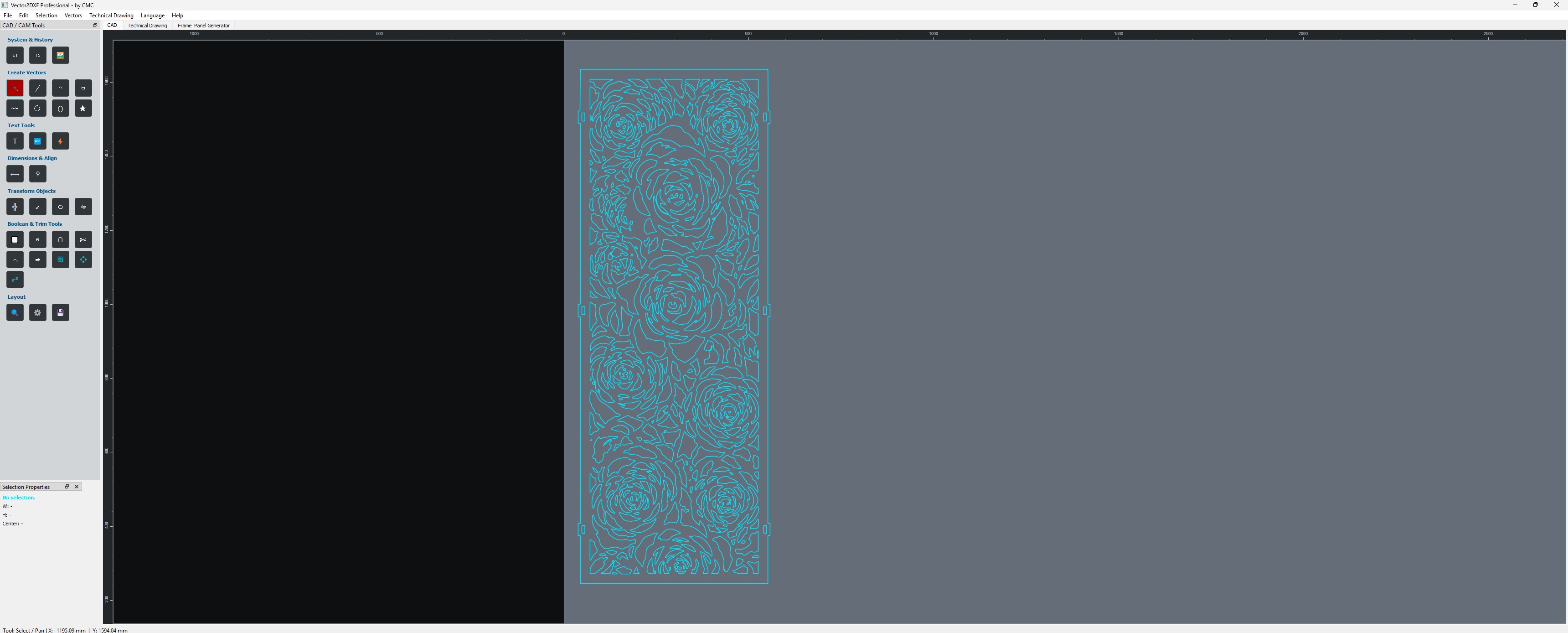
Vector2DXF is a desktop CAD and vector-editing application designed for creating, editing and preparing accurate 2D geometry for DXF-based workflows.
Developed with CNC manufacturing, technical drawing and practical workshop use in mind, Vector2DXF combines precise vector drawing tools, advanced snapping, geometry editing, dimensional annotation and DXF handling in a streamlined environment.
The application is designed to bridge the gap between general-purpose vector software and more complex CAD systems, providing the essential tools required to create and modify production-ready 2D geometry without an unnecessarily complicated workflow.
Key Features
Precision 2D Drawing
Create and edit technical geometry using dedicated drawing tools for lines, polylines, circles, arcs, ellipses and other vector elements.
Vector2DXF is designed around accurate geometric construction rather than freehand graphics, making it suitable for mechanical parts, CNC profiles, technical sketches and fabrication drawings.
Advanced Object Snapping
A real-time magnetic snapping system helps position geometry accurately while drawing or editing.
Supported reference points include:
- Endpoints
- Midpoints
- Object centers
- Circle and ellipse reference points
- Intersections
- Existing contour geometry
When no valid reference point is nearby, geometry can still be positioned freely.
This allows new elements to be constructed directly from existing geometry without manually calculating every coordinate.
Intelligent Move and Editing Tools
Objects and selections can be moved and positioned using both direct mouse interaction and precise keyboard-controlled movement.
Geometry can be aligned to existing reference points while moving, allowing accurate placement using endpoints, midpoints, centers, intersections and contours.
Copy, paste, duplication and selection tools are integrated into the normal editing workflow.
Transform and Scale
Selected geometry can be transformed and scaled directly inside the application.
The editing system is designed to preserve the original vector structure whenever possible while allowing parts or complete drawings to be resized and repositioned accurately.
Geometry and Curve Editing
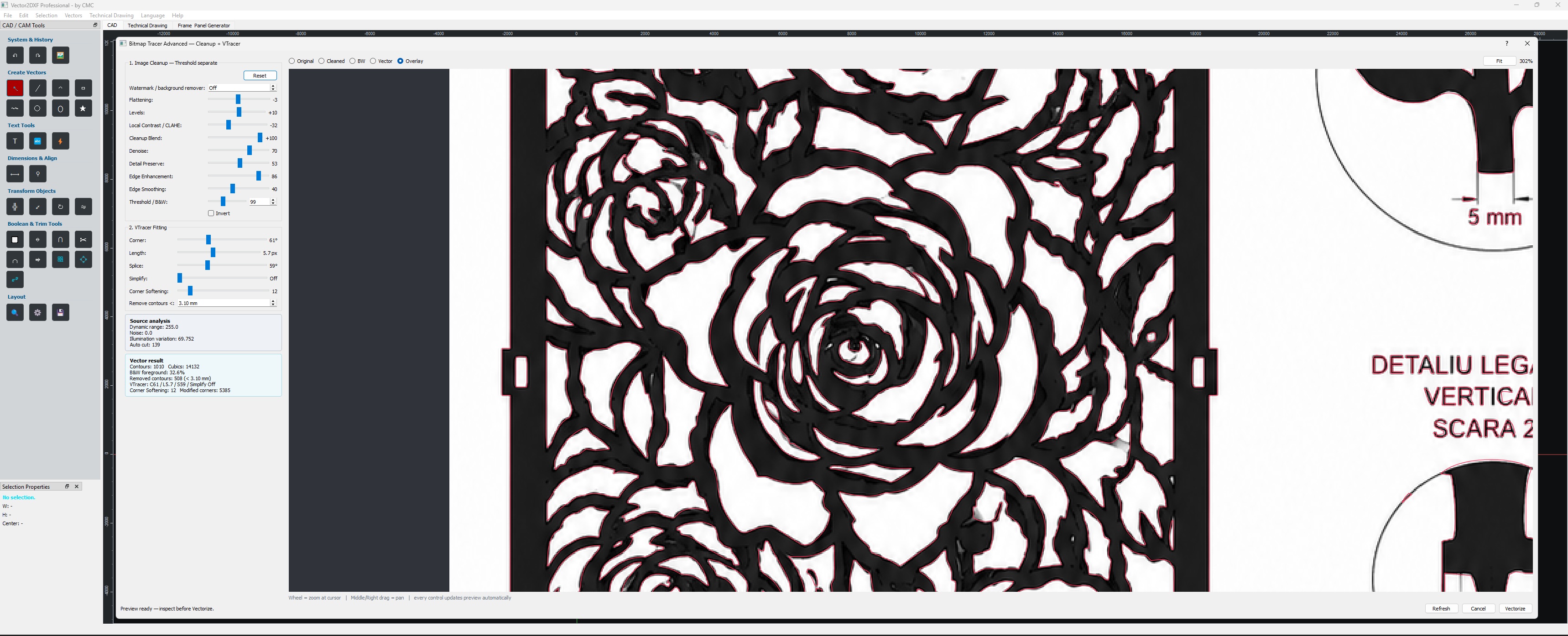
Vector2DXF provides tools for inspecting and modifying existing geometry, including complex imported vector shapes.
Curve-processing tools are designed to reduce unnecessary nodes and optimize geometry while maintaining the original shape as closely as possible.
Straight segments, arcs and Bézier-based geometry can be handled according to their geometric characteristics rather than simply converting everything into dense point sequences.
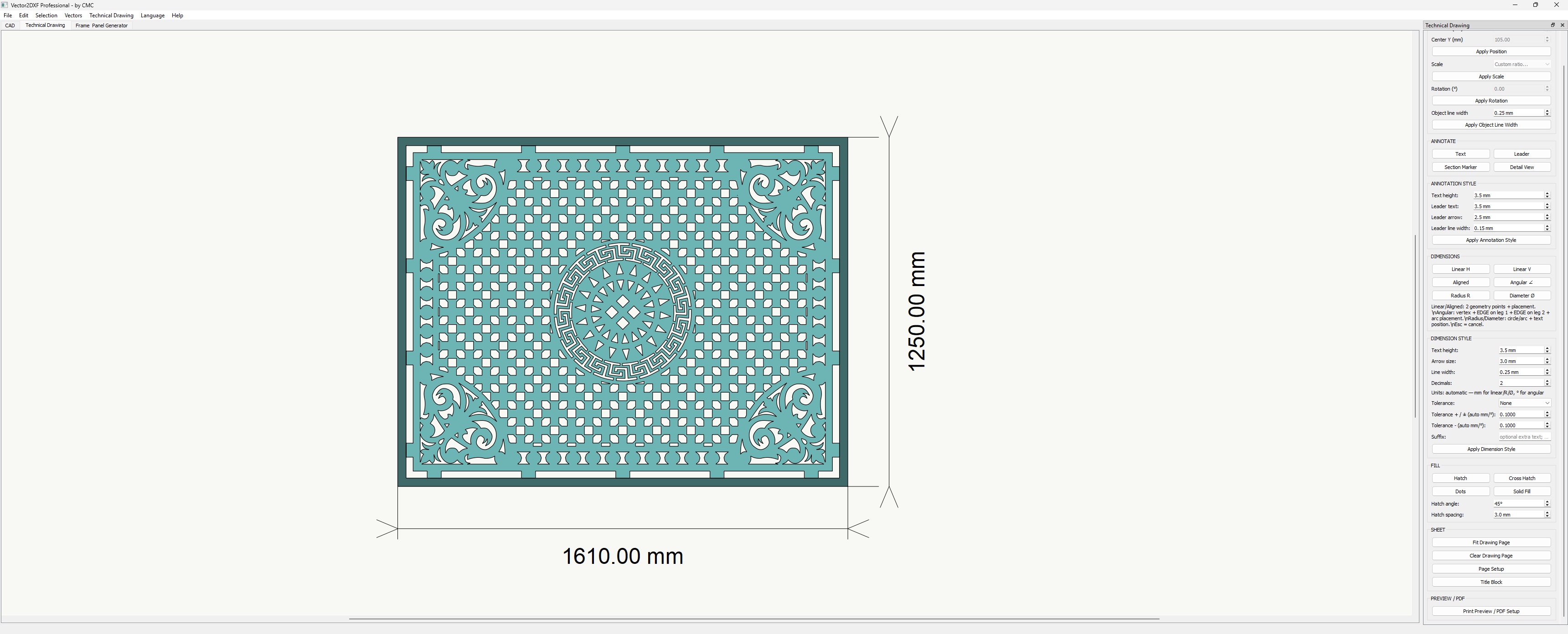
Technical Dimensioning
Vector2DXF includes technical drawing tools for adding dimensions directly to the drawing.
Dimensioning functions include support for linear and angular measurements, with configurable presentation parameters such as text size, arrow size and numeric precision.
These tools allow a DXF drawing to be used not only as CNC geometry but also as a technical reference drawing.
Leaders and Technical Annotations
Annotation tools allow technical information to be connected directly to relevant drawing elements.
Leader-based annotations and technical markers help identify specific features, sections or manufacturing details within a drawing.
Section and Detail Drawing Tools
Technical drawing functionality includes tools intended for identifying sections and highlighted areas of a design.
Detail views can be used to isolate and enlarge important regions of a drawing while maintaining a visual reference to the original geometry.
This is particularly useful for small mechanical details that would otherwise be difficult to inspect or dimension at the main drawing scale.
Geometry Inspection
Vector2DXF includes geometry checking tools that help identify important geometric conditions such as contour intersections.
These tools are useful when preparing drawings for CNC manufacturing, where unintended intersections, open geometry or problematic vector structures may affect subsequent CAM processing.
DXF Workflow
Vector2DXF is designed around practical DXF workflows.
Existing DXF drawings can be inspected, modified and prepared for further use in applications such as:
- CNC plasma cutting
- CNC laser cutting
- CNC routing
- Milling
- CAD/CAM processing
- Technical documentation
- Mechanical fabrication
The objective is to retain useful geometric entities whenever possible instead of unnecessarily converting curved geometry into thousands of short line segments.
Workshop-Oriented Interface
The application is designed for practical use rather than requiring the operator to navigate the complexity of a full-scale industrial CAD package.
Frequently used drawing, editing, snapping and inspection functions are accessible directly from the main workspace.
Designed for CNC and Technical Drawing Workflows
Vector2DXF is particularly useful when a drawing needs to move between different environments.
A typical workflow can include:
Create or import geometry → edit and clean the drawing → use precision snapping → add or modify technical elements → inspect geometry → export DXF → continue in CAM or CNC software
The application can therefore be used both as a standalone 2D drawing tool and as a preparation stage before CAM processing.
Target Audience
Vector2DXF is designed for:
- CNC plasma and laser operators
- CNC router users
- Mechanical technicians
- Fabrication workshops
- Metalworking professionals
- Designers preparing DXF geometry
- Makers and prototype builders
- Users who need accurate 2D CAD tools without the complexity of a large CAD platform
It is especially useful for workshop environments where drawings frequently need small but precise modifications before being transferred to CAM software or a CNC machine.
Development Philosophy
Vector2DXF is being developed around real workshop requirements.
The focus is on practical tools, geometric accuracy, predictable editing behavior and direct interaction with DXF geometry.
Features are tested with real vector drawings and manufacturing-oriented workflows, with particular attention to maintaining clean geometry and avoiding unnecessary distortion or excessive node generation.
Windows Desktop Application
Vector2DXF is distributed as a standalone Windows desktop application.
No Python installation or separate development environment is required for the end user.
Development Status
Vector2DXF is under active development.
Feedback from users working with real DXF files, CNC equipment and technical drawings is especially valuable and helps identify additional tools, compatibility requirements and workflow improvements.
Download